TIP: Make sure your content licence is set to either No Copyright (CC0), Attribution (CC BY), and Attribution-NonCommercial (CC BY-NC) in your account setting to make sure your data can be provided to the Global Biodiversity Information Facility as well as other biodiversity databases.
Step One
Create an account at https://www.inaturalist.org/
Step Two
Download the iNaturalist App onto your phone
Step Three
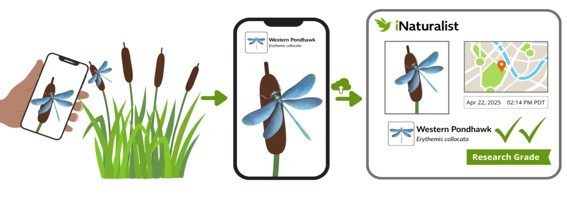
Take a photo (or record a sound) of an organism using the app.
Step Four
You will get a suggested identification. The app automatically records the date/time and location.
Step Five
The uploaded observation is visible to the iNaturalist community, who can confirm and correct identifications.
(Observations with consensus on the ID are shared with other databases used for science and conservation.)
Step Six
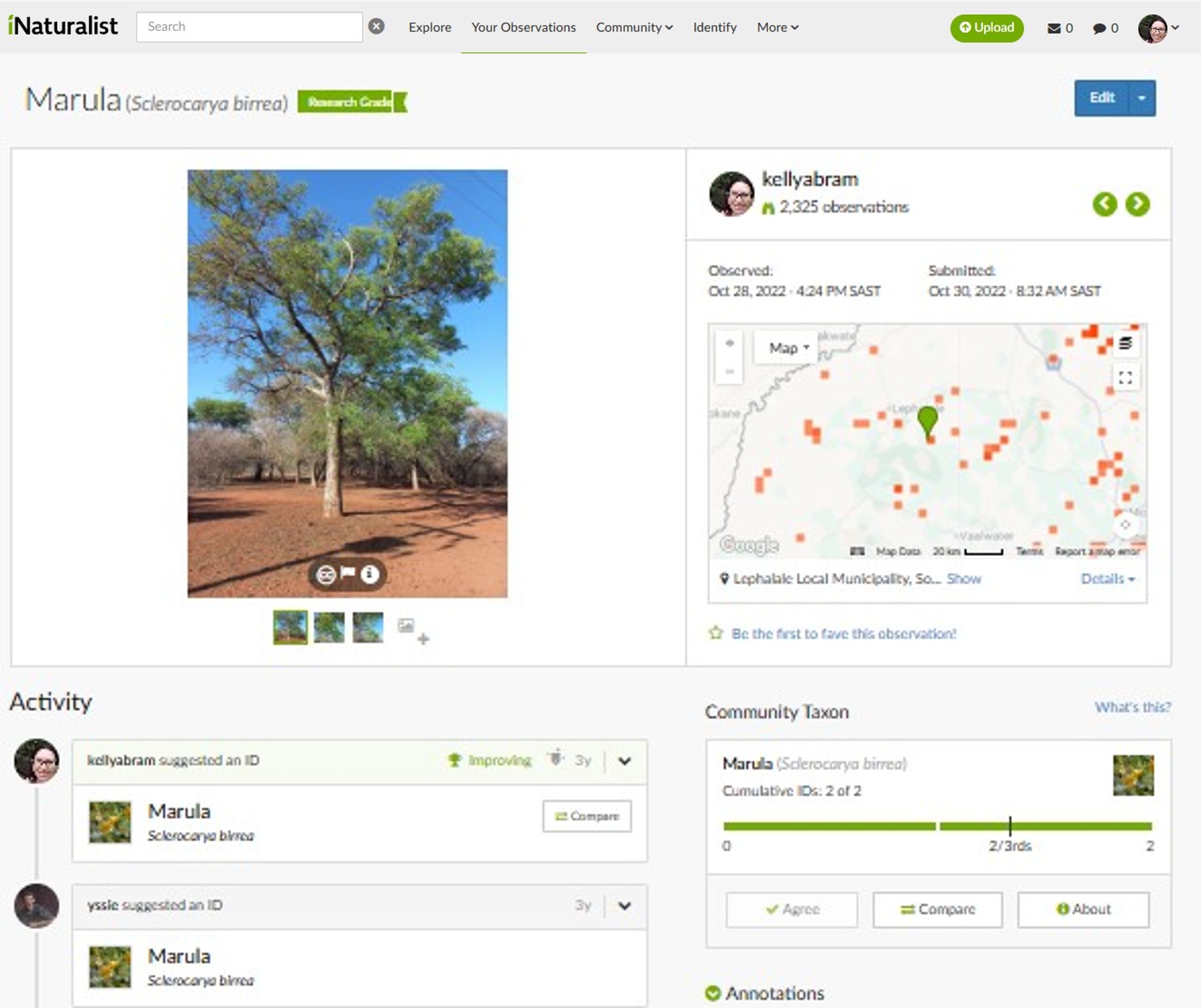
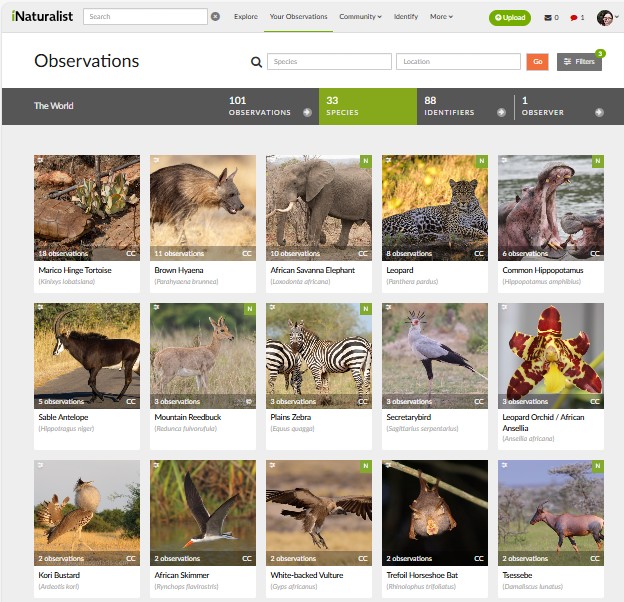
All information can be accessed through the desktop platform on your account and you can keep track of what you have seen. You can even upload images manually and check community identifications.
On the desktop version of iNaturalist, you have full access to the global database of observations. Here you can review your own records, see how the community has identified them, and explore observations submitted by others — whether across the world or within a specific property, reserve, or region. Powerful filtering tools allow you to search by taxonomic group, location, date, or conservation status, including threatened species. You can also contribute to the community by helping to identify other users’ observations.
The platform also hosts a wide range of projects. You can join existing initiatives, contribute your observations to them, or even create and manage your own project to track biodiversity within a particular area or theme.
For those wanting to deepen their knowledge, individual species pages provide valuable information, including distribution maps, conservation status, life history details, distinguishing features, and similar species — making iNaturalist not only a data collection tool, but a rich learning resource.